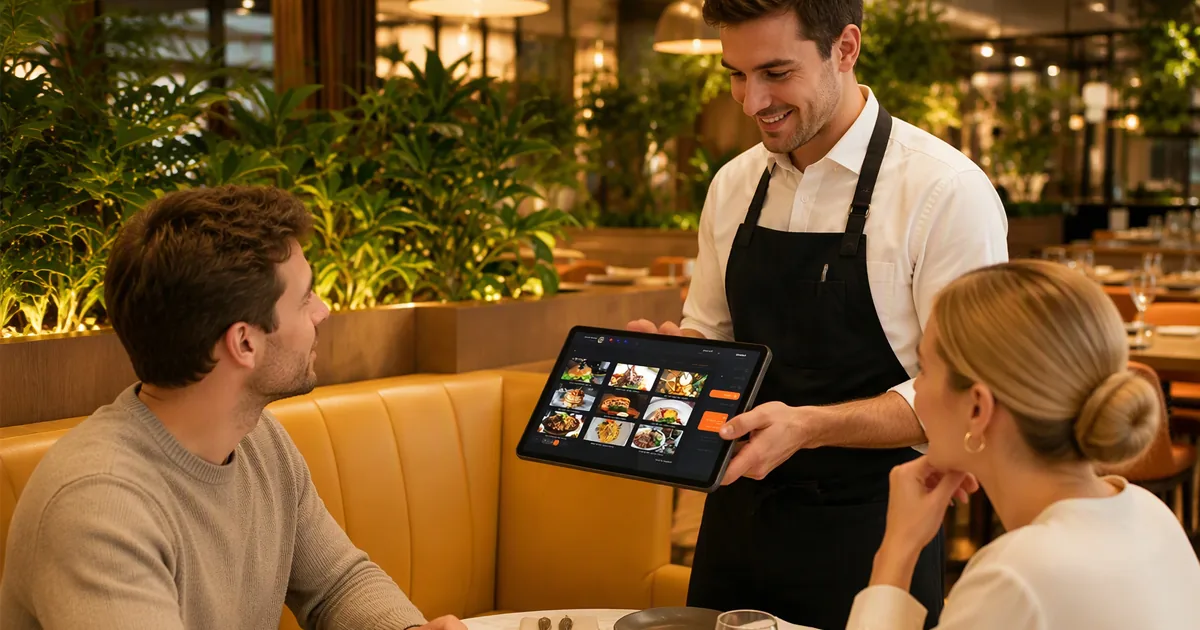
Running a restaurant or café means every second at the counter counts. But a restaurant POS system is not really a till that takes payment — it is the system that connects ordering, the kitchen and payment. It takes the order where the guest is sitting, sends the ticket to the kitchen line, keeps working when the room is full, and lets the guest pay without waiting for a card machine to free up.
This 2026 buyer's guide walks through the four jobs a food & beverage POS actually has to do, shows how the hardware hands off from table to kitchen to counter, and explains where CRSMT's Android tablet POS, all-in-one POS computers, and kitchen receipt printers sit in that picture. If you are kitting out a new venue, or replacing a system that freezes during the dinner rush, start here.
Before comparing hardware, it helps to see the path one order takes. Most of the delays in a busy venue — cold food, wrong modifiers, guests waiting to pay — happen at the handoffs, not at the devices. A well-matched POS closes those handoffs.
Either the guest browses a photo menu on the table-side tablet, or a server takes the order on a handheld — modifiers, cooking notes, allergies and seat numbers all captured on one screen.
The POS splits the order by station: starters and mains to the hot line, drinks to the bar, desserts held until they are called. No verbal relay, no handwriting for a cook to misread.
The printer at the pass prints the chit and sounds its beeper, so the cook knows a ticket has landed even with the extractor fans running and their back turned.
When the guest is ready, one tap on the counter terminal prints the bill or invoice — no second printer to hunt for, no re-keying the order into another system.
A payment QR appears on the tablet screen or on the printed bill. The guest scans, pays, and the table turns faster than a card-machine queue allows.
Each of the next four sections takes one stage of that flow and explains what to look for in the hardware — plus which CRSMT model is built for it.
Walking to a fixed till to key in each order adds a round trip that slows the whole table. A table-side device removes the walk entirely: the order is captured where the guest is sitting, while the details are still fresh, and it reaches the kitchen before the server has left the table.
In practice, restaurants run table-side ordering in one of two modes — and most venues use both, depending on the table, the menu and the guest.
One tablet sits on every table, showing a well-designed photo menu with prices. Guests browse the dishes, open one to see the photo and description, add items and confirm — and the order lands in the kitchen without a server being involved at all.
For first-time guests, set menus or upsell-heavy venues, the server stays in control: they introduce the signature dishes, recommend pairings, and key everything into the same tablet while standing at the table.
Both modes demand the same hardware quality: a screen bright enough to read under warm restaurant lighting, a battery that lasts a full service, and a body light enough for a server to carry for six hours. This is where a consumer tablet is no longer enough — it is not built for daily food-service use or for running a POS app through a full shift without charging.
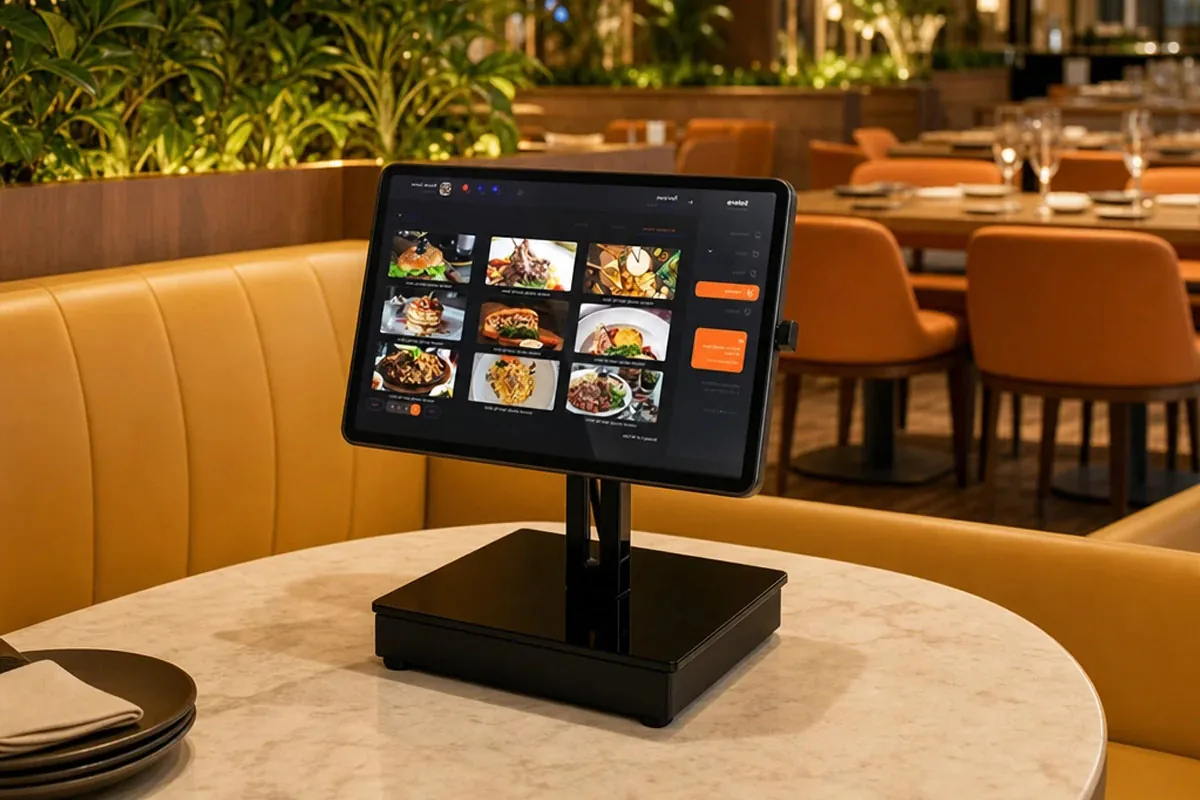
The S1 Tablet POS is a dedicated Android tablet POS system built as POS tablet hardware for restaurants and cafés — not a consumer tablet in a protective case. Its 10.1" HD touchscreen runs your photo menu, modifiers and split-bill logic right at the table, and it talks to your kitchen and receipt printers over WiFi or Bluetooth.
It runs Android 14 with 4GB RAM + 64GB storage, so menu images load quickly and the app keeps its data through a full service. The 7500mAh battery covers a long shift away from a socket, and the bundled USB docking station lets the tablet charge continuously whenever it is docked at the counter, at the pass or on a table stand — so it never starts the dinner rush flat.
For POS restaurant equipment that staff can carry all shift and guests can use on their own, the S1 is a good match.
View S1 Tablet POS Specifications →A POS is only as fast as the ticket it fires to the kitchen. When an order is confirmed at the table, a kitchen printer should print a clear chit at the pass within a second — no server recalling orders from memory, no cook reading an order off a screen with wet hands.
The detail that separates a real restaurant kitchen printer from an office receipt printer put to work in a kitchen is the alert. Nobody stands and watches the printer during service: the extractor fans are loud, the pass is crowded, and a silent ticket can sit there unnoticed while the order is delayed.
The U80C solves that with a built-in audible and visual alarm. The moment an order arrives, it emits a beeper tone and lights its status indicator, so the cook knows a ticket has landed even with their back to the machine. This is why an audible and visual alert matters more than extra print speed in a busy kitchen.
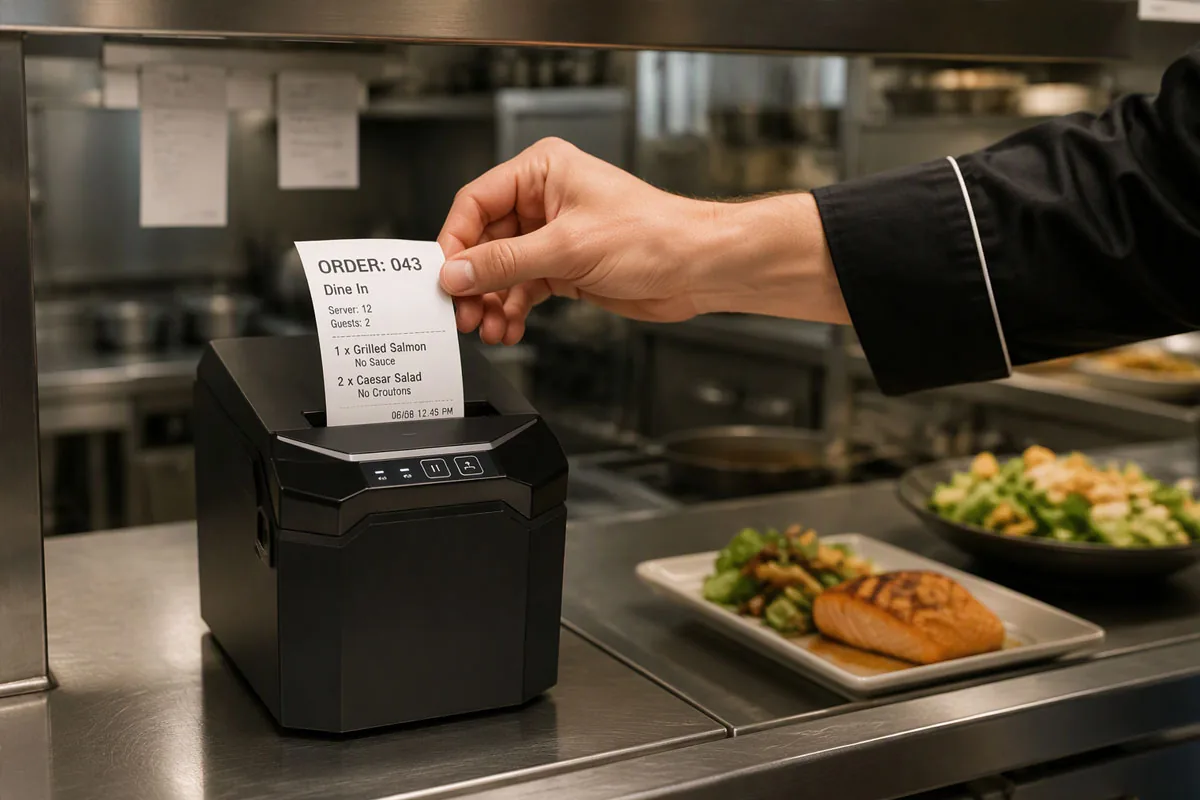
The U80C 80mm thermal receipt printer is a true restaurant kitchen printer — built for heat, grease and constant use. It prints at up to 260mm/s with an auto-cutter, so a multi-course ticket prints in about a second, and it can be mounted on a shelf or wall at the pass so the chit drops straight into the cook's hand.
Pair it with any CRSMT POS for a complete cash register with kitchen printer setup — the terminal takes the order, the U80C makes sure the line hears about it.
View U80C Kitchen Printer Specifications →Lunch rush and weekend nights are where cheap POS kits fall apart. A frozen screen at 12:30 means slower tables and lost orders — and the failure is almost never the software. It is a box with a fan that has ingested a year of kitchen grease, a tablet that throttles once it warms up, or a printer that jams on its twentieth ticket of the service.
Stability in a restaurant POS comes down to three things: no moving parts (fanless design, so dust and grease have nowhere to build up), a printer that is part of the terminal instead of a separate box that can go offline mid-service, and local order caching so tickets still print if the network dips for a moment.
The built-in 80mm printer on the M60 and M60W keeps the counter tidy and makes printing the bill or invoice a quick, one-screen step — there is no separate printer to find or wire up, and no second device that can lose its connection mid-service. It is also what makes the terminal a genuine restaurant cash register with kitchen printer rather than a screen that needs extra accessories to function.
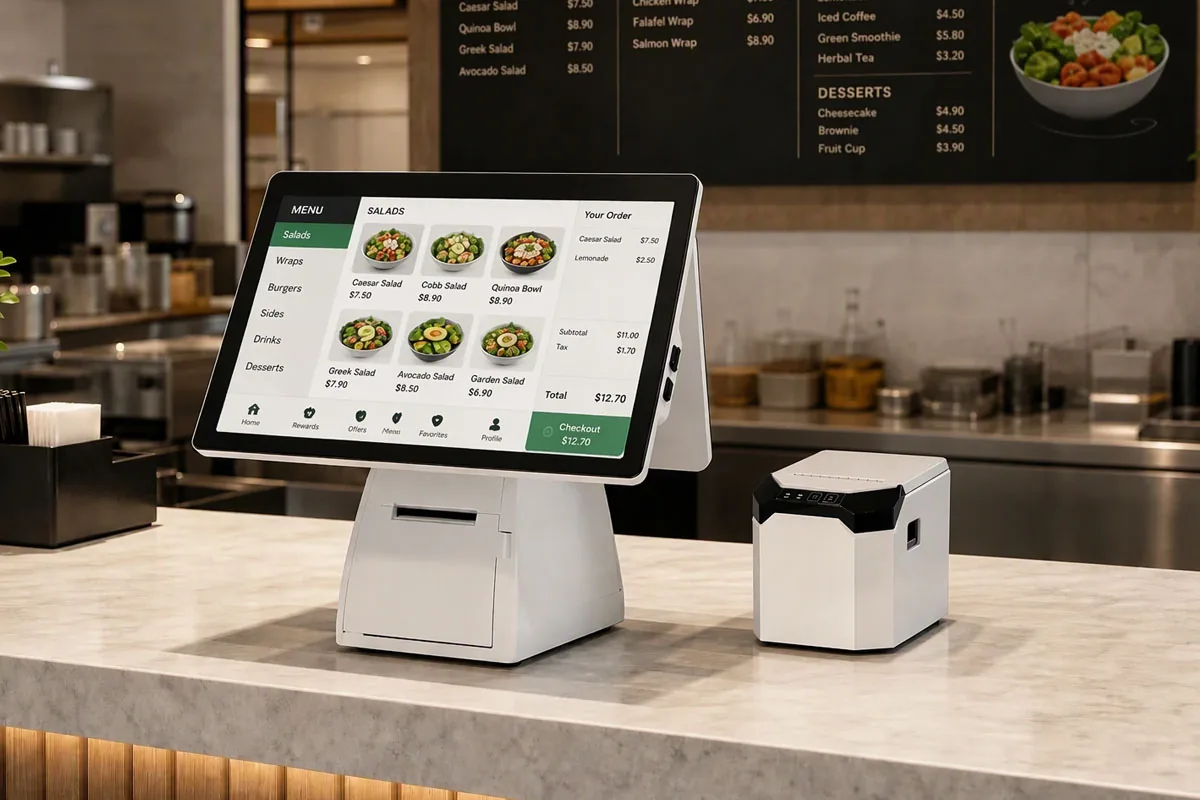
For a fixed counter, the M60 Android POS and M60W Windows POS are all-in-one POS computers — touchscreen, built-in 80mm printer and a customer-facing display in one fanless all-in-one PC POS body. No tower under the counter, no cable spaghetti, nothing for a busy server to knock loose.
The M60 runs Android for app flexibility and the widest choice of restaurant POS software, so an android based pos system fits almost any venue; the M60W runs Windows for full desktop software compatibility and Windows-only peripherals. Both are fanless POS computer units designed for all-day, every-day operation, with a second screen facing the guest for order confirmation and the final total.
Hardware specs are abstract until you watch them work a real service. Here is how the same four pieces behave across a two-hour dinner rush in a 60-seat venue.
QR and scan-to-pay are now standard in many markets. A restaurant POS should generate a payment QR on the spot, whether on the guest's phone, the server's tablet or the printed bill, so the bill is settled in seconds instead of waiting for the one card machine to come free.
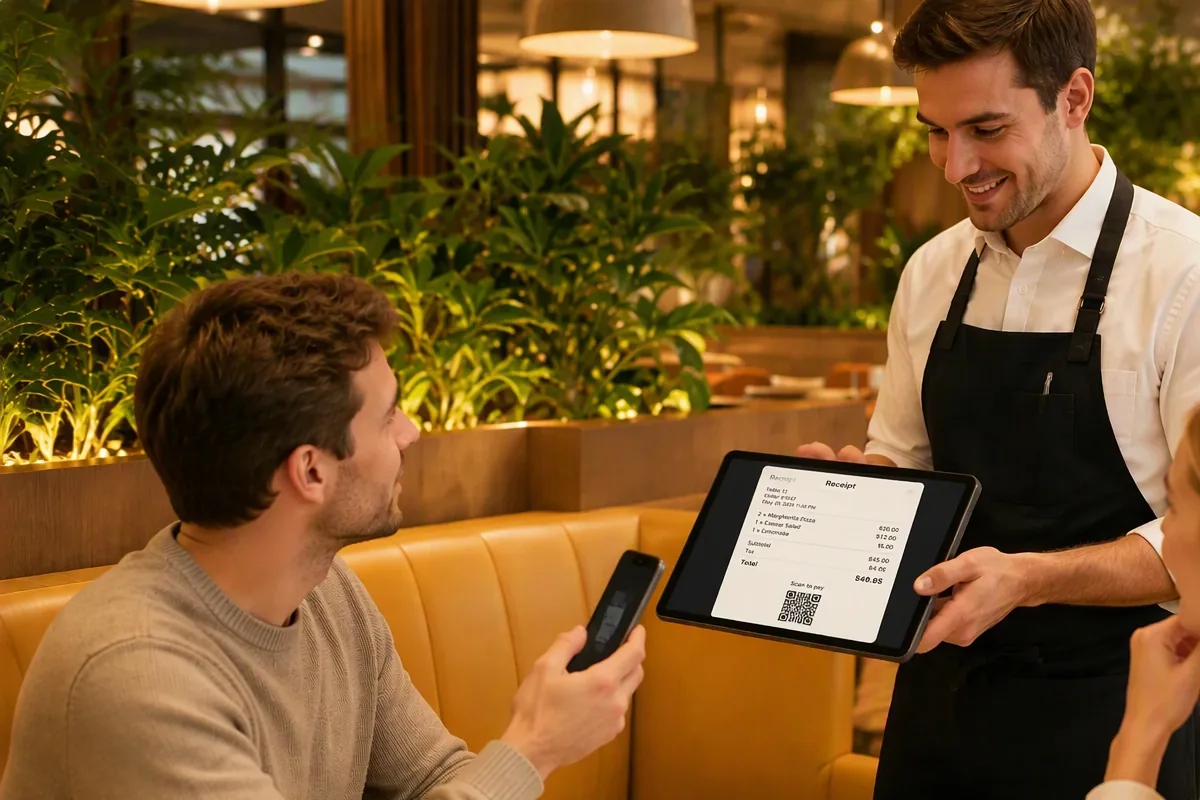
Because the S1 tablet and the M60 / M60W terminals both display a scan-to-pay QR and print one on the bill, payment can happen wherever the guest is: at the table, at the counter, or on the way out. Split bills work the same way — the POS generates a separate QR per guest, so a table of six does not pass one card machine around for ten minutes.
There is an operational benefit beyond speed. Scan-to-pay removes the step where a server takes a card away to a separate machine, which is also where mistakes and delays tend to happen. The guest keeps their phone, sees the amount, and pays on their own terms.
| Factor | Android Tablet POS (S1) | All-in-One Android (M60) | All-in-One Windows (M60W) |
|---|---|---|---|
| Best for | Tableside, cafés, mobile | Fixed counters, all-day use | Windows software, peripherals |
| Operating system | Android 14 | Android | Windows |
| Built-in printer | Optional | Yes (80mm) | Yes (80mm) |
| Screen | 10.1" tablet | 15.6" with customer display | 15.6" with customer display |
| Power | 7500mAh + USB dock | Mains powered | Mains powered |
| Value | Highest flexibility/price | All-in-one convenience | Max compatibility |
1× S1 Tablet POS (ordering + scan-to-pay) + 1× U80C kitchen printer. Compact, mobile, budget-friendly — one tablet can cover a small room of 15–25 seats.
1× S1 Tablet POS per 4–6 tables (self-order on the stand, or carried by staff) + 1× U80C at the pass + 1× M60W at the counter for bills and reporting. Best balance of service speed and cost.
1× M60 Android POS or M60W Windows POS (all-in-one, built-in printer) + 1× U80C kitchen printer + optional barcode scanner for retail items and bottled drinks.
Eight questions worth asking before you buy, so the POS you choose still fits your venue a few years on:
For a small restaurant or café, an all-in-one Android POS terminal or an Android tablet POS is usually the best fit. They are affordable, app-friendly, and handle ordering, printing, and scan-to-pay in one device. CRSMT's S1 tablet POS and M60 all-in-one Android POS are common choices for cafés, coffee shops, and quick-service venues.
If you cook to order, yes. A kitchen printer fires a physical ticket to the line the moment an order is placed, which is faster and more reliable than a screen alone — especially during a rush. CRSMT's U80C 80mm thermal receipt printer is built as a restaurant kitchen printer with an auto-cutter and heat-resistant design.
Android POS is better for most cafés: it is lower cost, touch-optimized, and runs a wide range of POS apps. Windows POS (such as CRSMT's M60W) is better when you need full desktop software compatibility or specific Windows-only peripherals. Choose Android for flexibility and value, Windows for legacy software.
A properly built tablet or all-in-one POS can. The key is fanless, industrial-grade POS computer hardware with a stable OS and local order caching so tickets still print if the network dips. CRSMT's S1, M60, and M60W are designed for all-day uptime in busy food & beverage environments.
Scan-to-pay generates a payment QR code on the POS screen or printed receipt. The guest scans it with a phone wallet and pays in seconds, removing the card-machine queue at checkout. CRSMT terminals display or print a scan-to-pay QR so guests can settle the bill quickly, and split bills can be issued as separate QR codes per guest.
The S1 carries a 7500mAh battery, which covers a full shift of table-side ordering away from a socket. For all-day venues, the USB docking station charges the tablet continuously whenever it is docked — at the counter, at the pass or on a table stand — so it is never flat at the start of a rush.
Yes. In self-order mode the menu runs on the table-side S1 tablet itself — the guest taps through a photo menu with prices and confirms, and the order goes straight to the kitchen printer. Nothing is installed on the guest's phone, and no server needs to be involved unless the guest asks for a recommendation.
The U80C is an 80mm thermal printer using the standard ESC/POS command set, with USB, Serial, LAN and Bluetooth configurations available. That makes it compatible with CRSMT terminals and with the large majority of restaurant POS applications that already drive 80mm kitchen printers.
Our team can recommend the right POS restaurant equipment for your menu, volume and budget — how many table-side tablets your floor plan needs, which counter terminal matches your POS software, and how many kitchen printers your stations require. Get in touch for a free consultation; we typically respond within 24 hours with a suggested bill of materials.