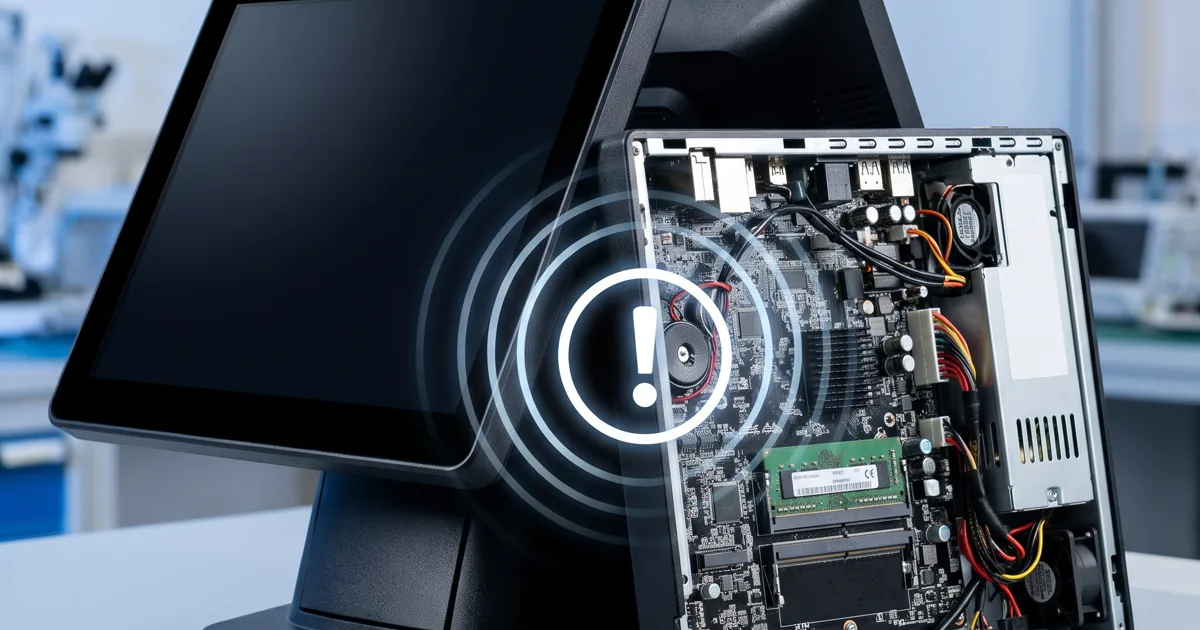
A cash register machine that keeps beeping the moment you power it on—often with a black or blank screen—is reporting a hardware self-test failure through its built-in buzzer. The mainboard runs a BIOS power-on self-test (POST), and an uninterrupted long beep is a fixed fault code, not random noise. This guide covers the fast diagnosis by beep pattern and the detailed step-by-step repair used on industrial POS mainboards.
Different beep patterns map to different subsystems. Identify the pattern first to save time:
Residual static on the mainboard can make memory unrecognized even when the hardware is fine. Unplug the power cord and every USB / display cable so the unit is fully powered off. Press and hold the power button for 10–15 seconds, repeat 2–3 times to release residual charge, then wait 3 minutes before opening the case.
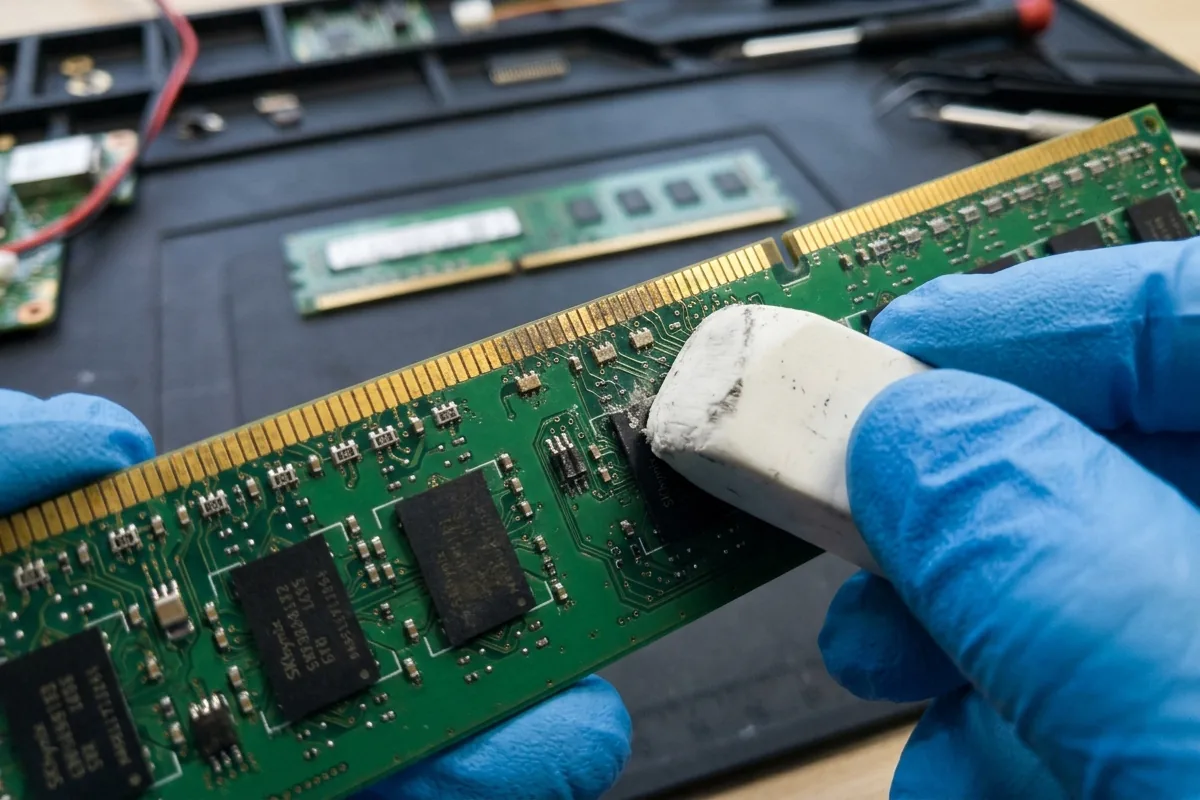
Remove the single memory module and wipe both sides of the gold finger (the gold contact edge) with a clean eraser, in one direction only, until the metal shines. Do not touch the gold finger with your hands. Use a cool fan or small brush to clear dust and lint from the slot. Press the module straight down firmly until both end clips click twice—many "seated" modules are not fully latched. If the board has a second slot, move the module there and test again.
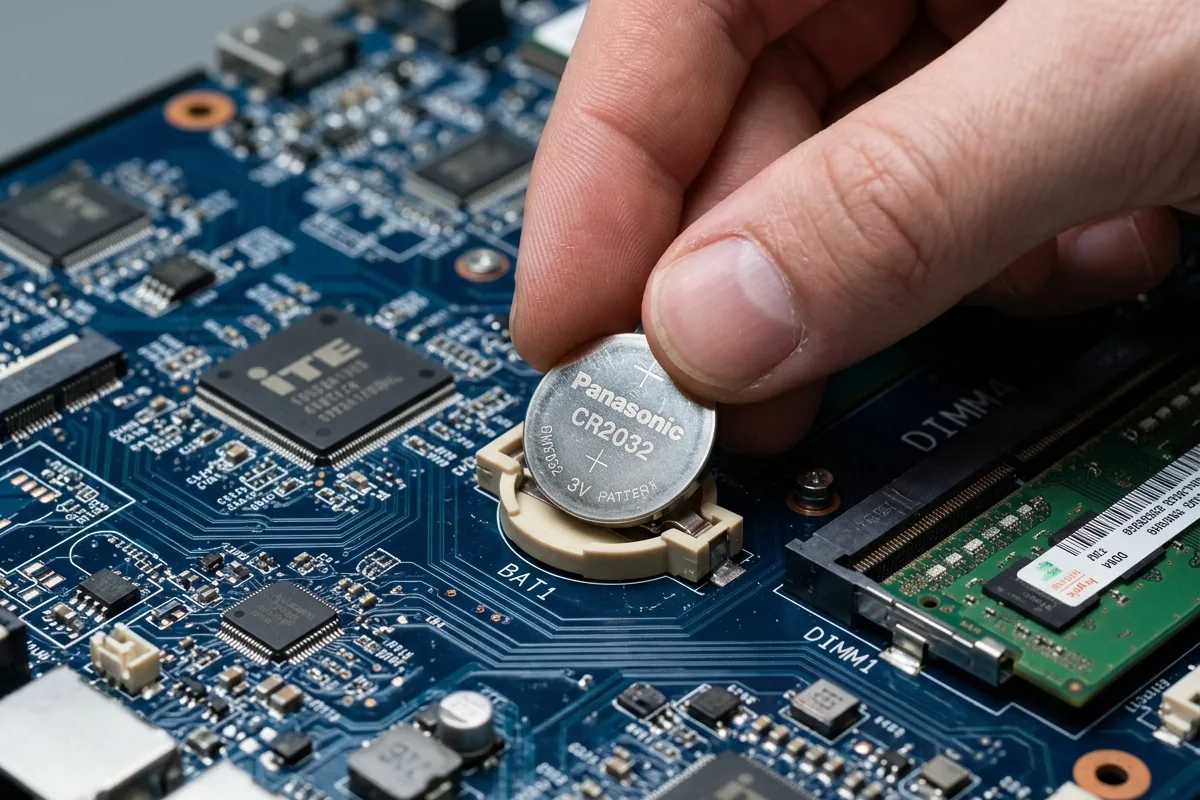
Voltage spikes or abnormal power loss can corrupt BIOS and falsely report a memory fault. With the power off, remove the silver coin-cell battery, wait 5 minutes so the BIOS fully resets to factory defaults, then reinstall the battery and power on to test.
A shorted peripheral or hard drive can pull down mainboard voltage and fail the memory self-test. With power off, disconnect the hard drive SATA and power cables, and unplug every external device (keyboard, mouse, USB expansion, cash drawer). Keep only mainboard + CPU + one memory module + power + display. Power on:
If you have a spare module (DDR3/DDR4): install a known-good module of the same generation. No more beep means the original memory is damaged and should be replaced. Still beeping means the fault is not memory; check power and mainboard.
If you have no spare: check the power fan—if it does not spin, spins weakly, or makes noise, the industrial PSU is aged and undervoltage; replace it. Inspect capacitors near the CPU and memory for bulging, leaking, or blackening. Re-seat the CPU: remove the heatsink, check pins for bend or oxidation, reposition and re-latch the cooler.
A continuous long beep points to the memory module: loose seating or oxidized gold contacts from long-term vibration and humidity. Reseat and clean the module first.
One long and two short beeps indicate a display or graphics fault—usually a loose display cable or poor on-board graphics contact. Reconnect the display data cable and check display power.
With the power off, remove the silver coin-cell battery for about 5 minutes so the BIOS resets to factory defaults, then reinstall it and power on to test.